 FastFreeSoftware

Trapeze Reader
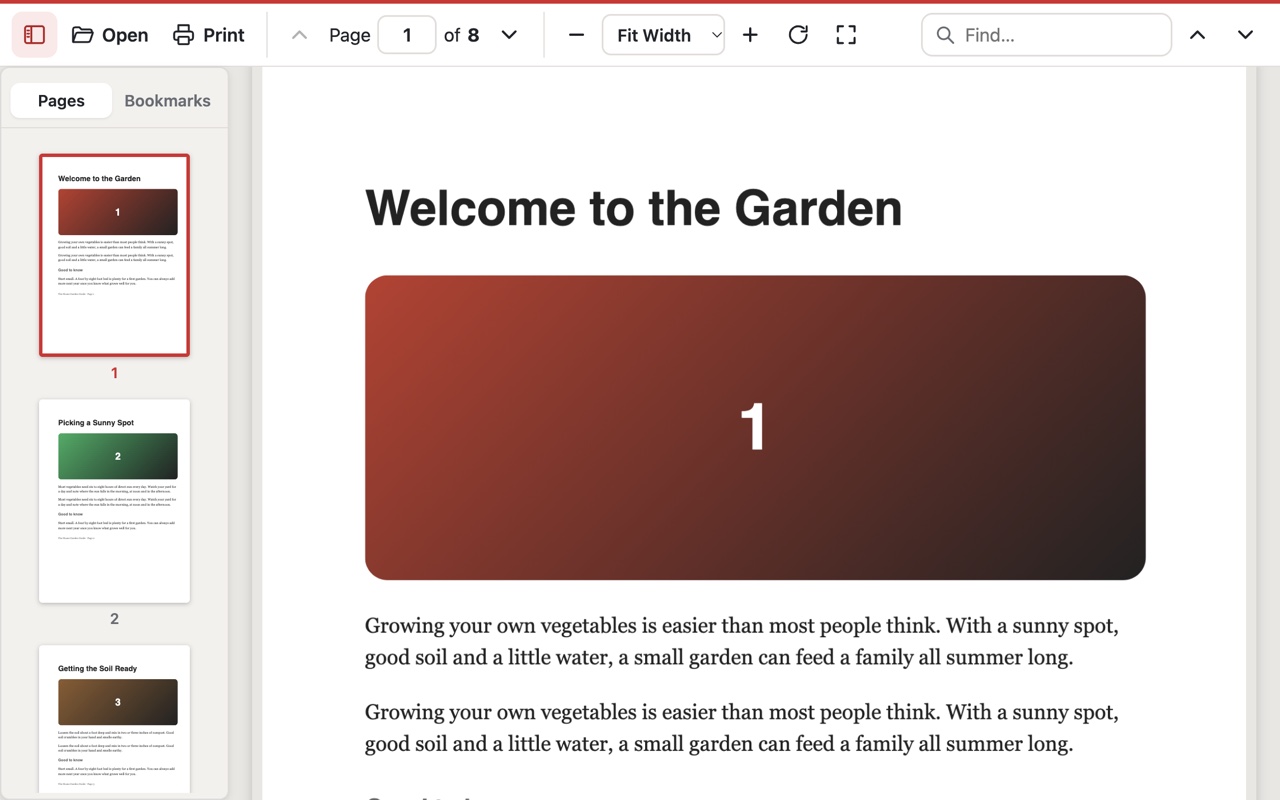
Trapeze Reader opens PDF files on Windows and Mac. Got a PDF in an email or a download? Double-click it, or drag it onto Trapeze Reader, and it opens right away. Make the pages bigger with one click. Find any word. Print the whole thing. Fill in a PDF form and save a copy. Pictures of every page sit down the side, so you can jump straight to the one you want. If the file has a password, Trapeze Reader asks for it.
Version 1.0.0
What's New
- First release
- Opens any PDF, including ones with a password
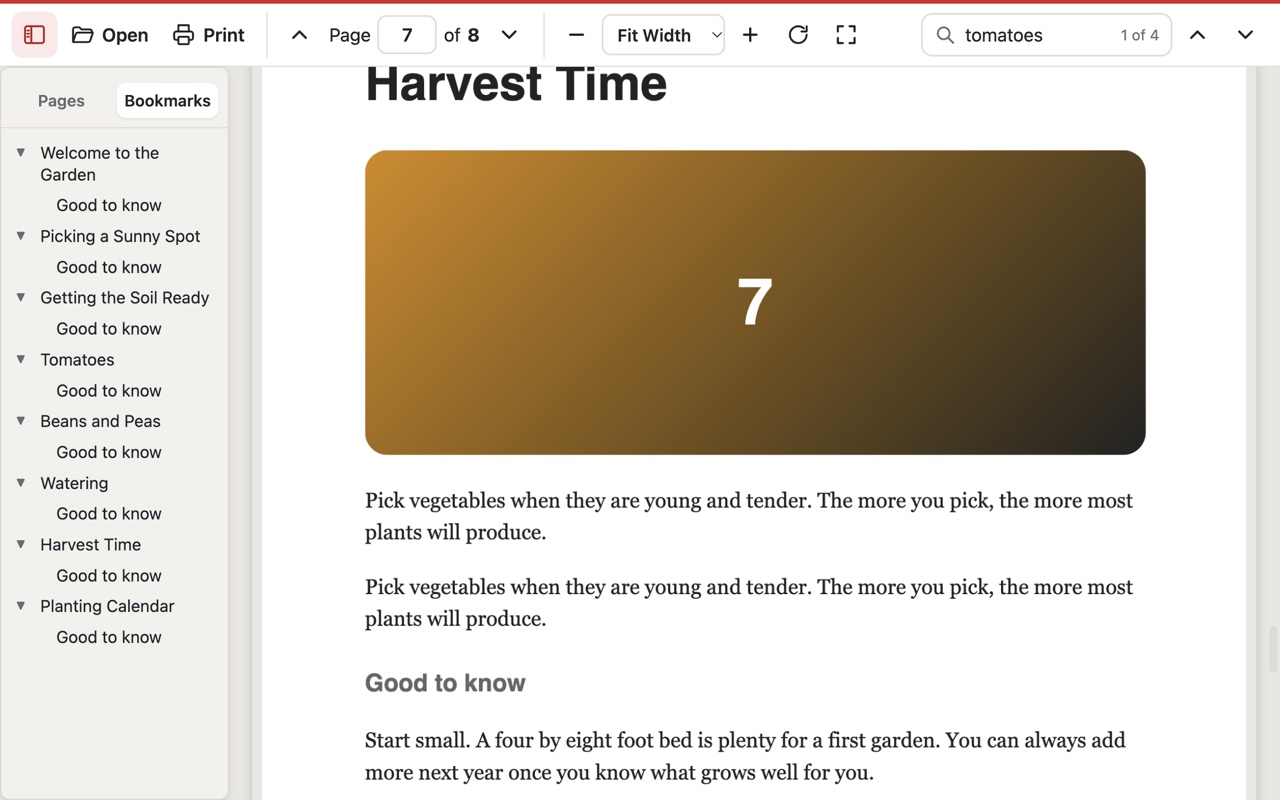
- Pictures of every page, and the PDF's chapters, down the side
- Find a word, make pages bigger or smaller, turn pages sideways
- Print, and fill in PDF forms and save a copy
How to read a PDF
- Double-click your PDF. Or open Trapeze Reader and click Open a PDF.
- Scroll down to read, or click a page picture on the left to jump to it.
- Click + to make the page bigger, or − to make it smaller.
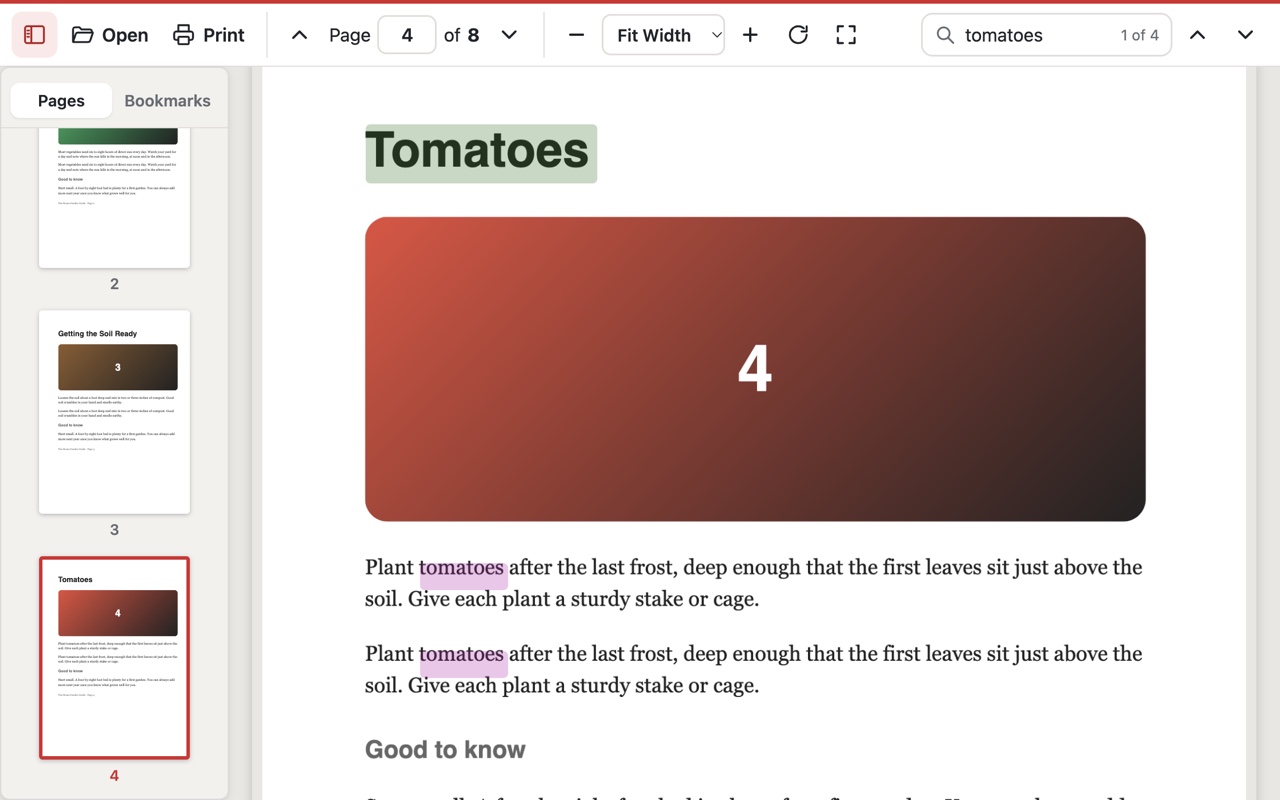
- To find a word, type it in the Find box at the top right.
- Click Print to print it.
To make Trapeze Reader open every PDF you double-click, right-click any PDF and choose Open with. On Windows, pick Choose another app, then Trapeze, and tick Always. On Mac, choose Get Info, pick Trapeze under Open with, then click Change All.
Filling in a form
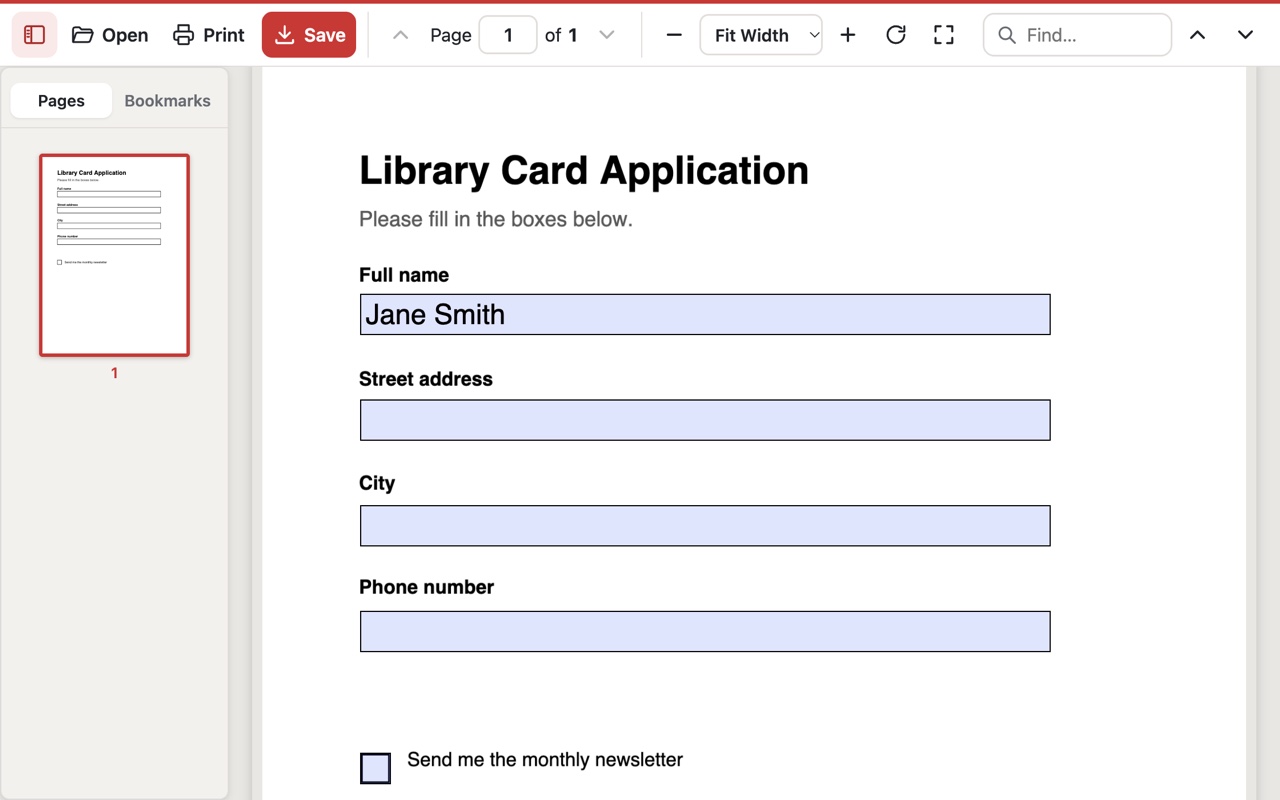
Click in a box on the form and type. When you're done, click the red Save button to save a copy with your answers. Your original file is not changed.
Installing on Windows
Open Trapeze-Setup.exe. If Windows says "Windows protected your PC", choose More info, then Run anyway. Pick where to install it, and Trapeze Reader adds Start menu and Desktop shortcuts. To remove it later, use Apps & features.
Installing on Mac
Open Trapeze.dmg and drag Trapeze onto Applications. The first time you open it, macOS may say it can't check the app. Choose Done, then open System Settings › Privacy & Security, scroll down and choose Open Anyway.
About
Trapeze Reader draws pages with PDF.js, the same free PDF engine used in Firefox. It only reads your files on your own computer and never sends them anywhere.